If you're unable to assign seats to new employees even though your plan shows sufficient capacity, it's likely that some seats are still allocated to past (resigned) employees. These seats remain reserved until they are manually unassigned.
To resolve this, follow the steps below to release unused seats from past employees:
1. Click the Staff Directory > Manage Employees.
2. Go to Assign Seat & Edit Permission.

3. Filter Employee Status by Past Employee, then click Search.
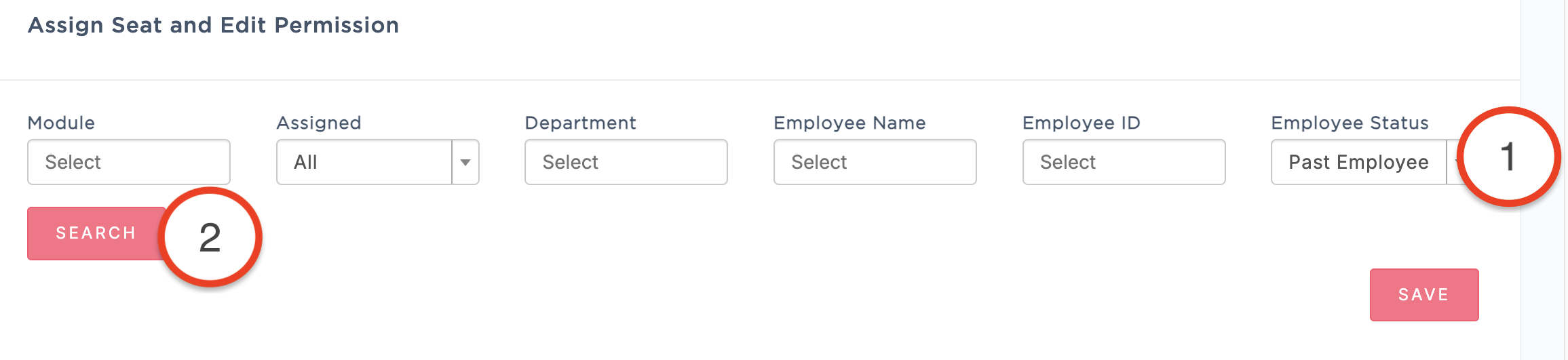
4. Locate the resigned employees and untick the assigned seats, then click Save.
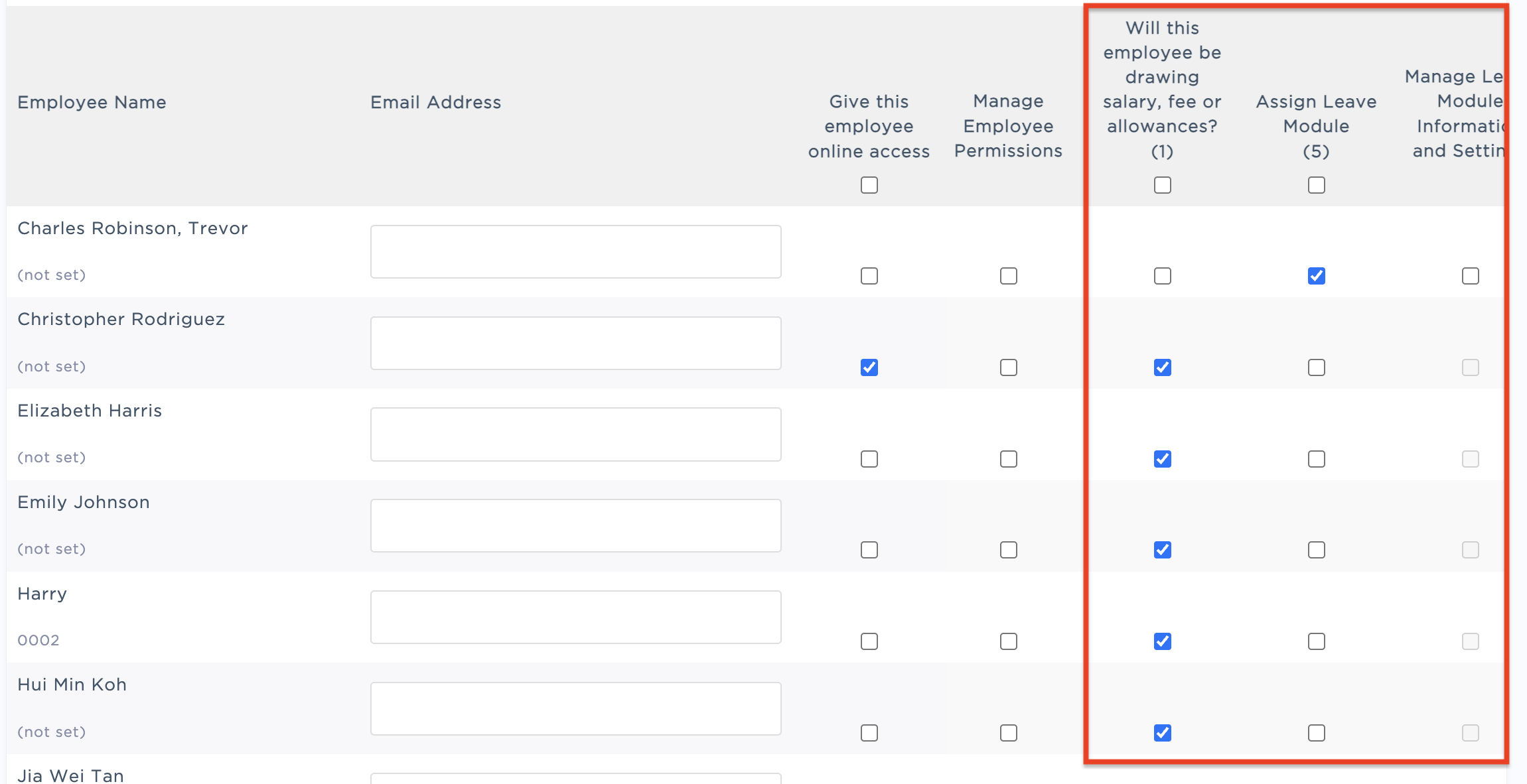
⚠️ Important note: If you still do not have enough available seats after completing the steps above, you may need to upgrade your billing plan to increase your seat allocation.
Was this article helpful?
That’s Great!
Thank you for your feedback
Sorry! We couldn't be helpful
Thank you for your feedback
Feedback sent
We appreciate your effort and will try to fix the article