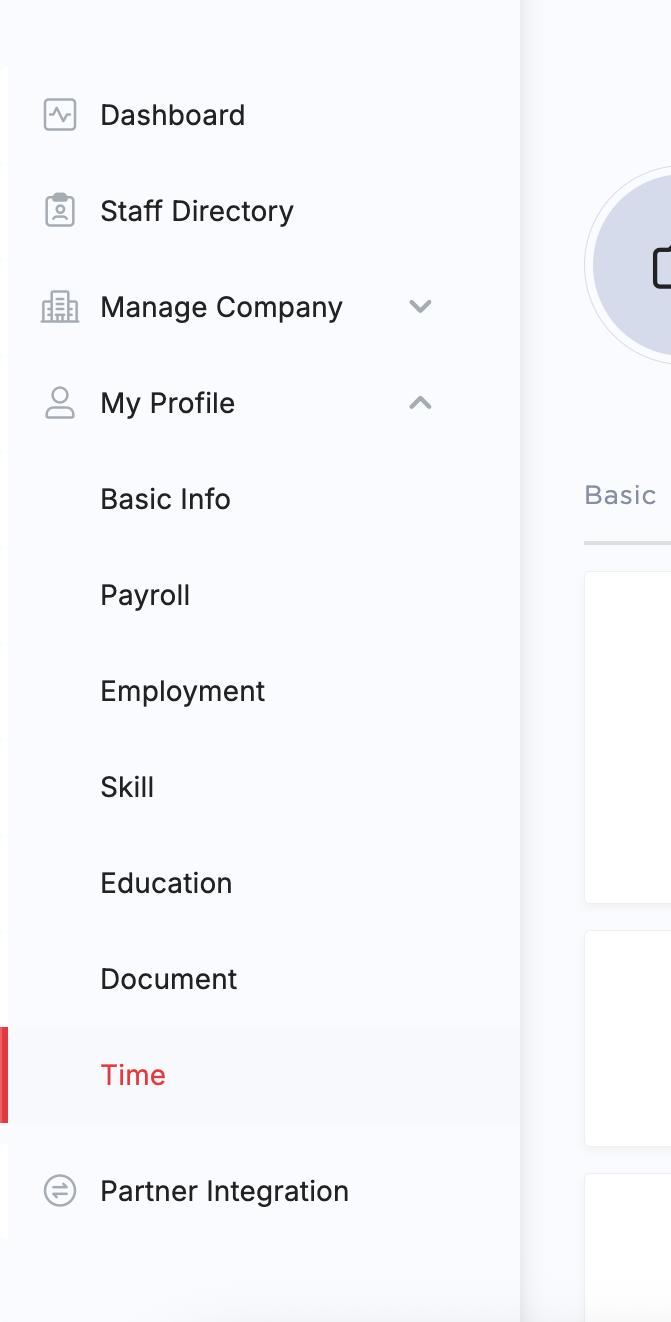
1. Go to My Profile > Time.
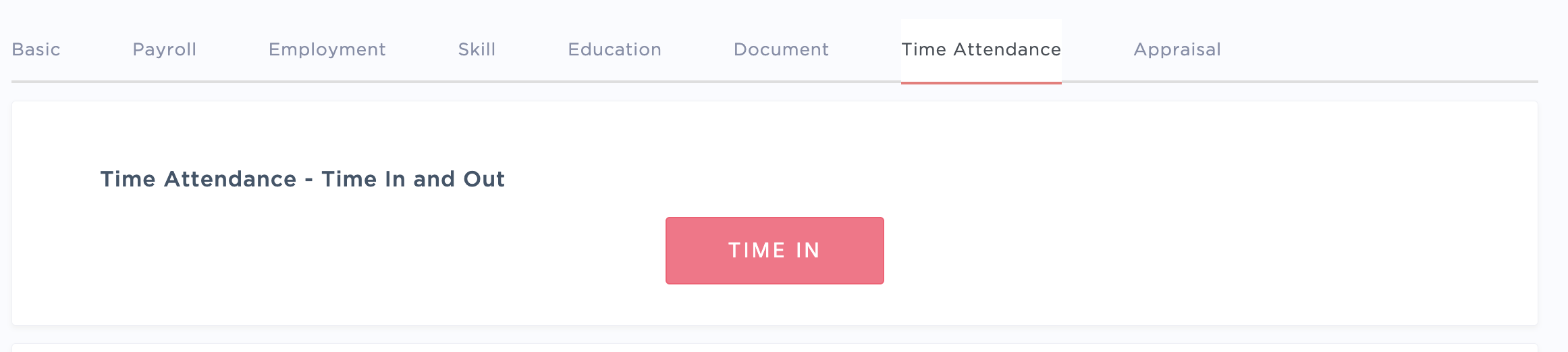
2. In the Time Attendance tab, click the Time In button.
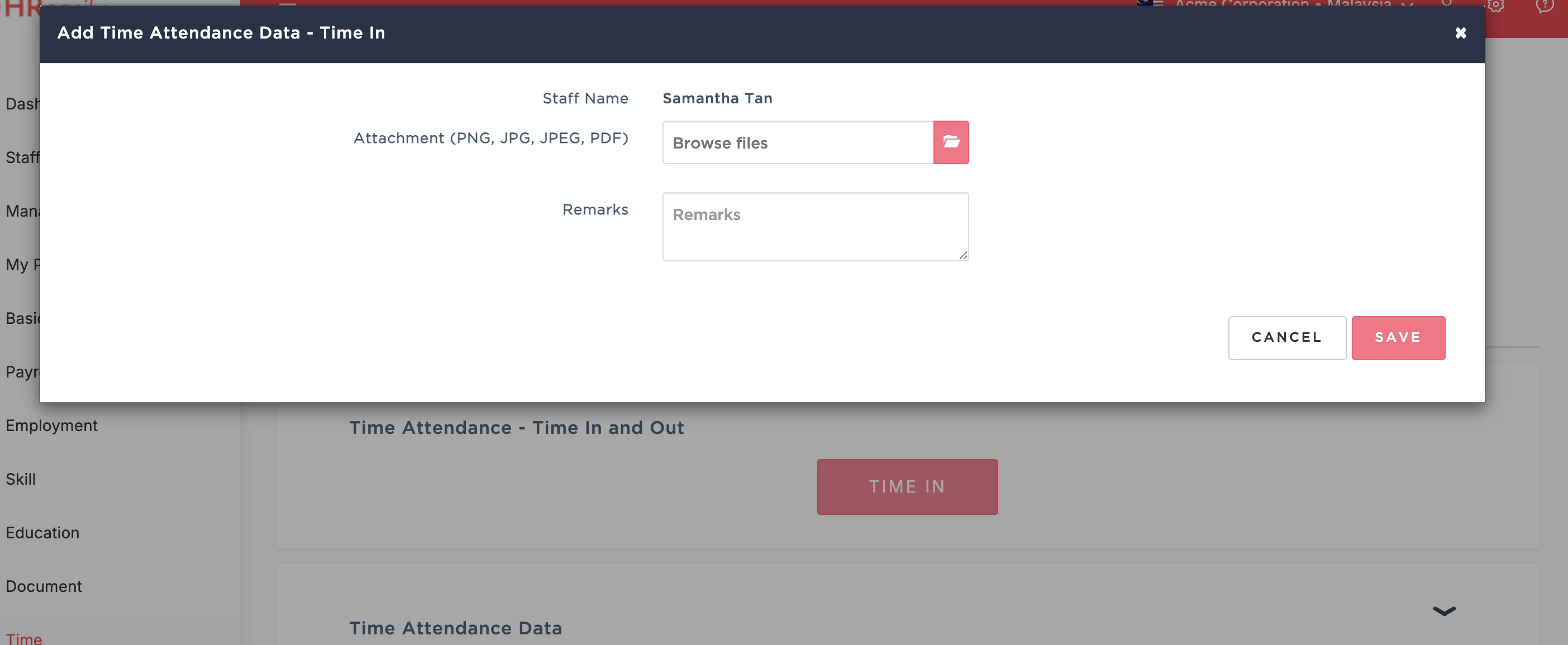
3. You may upload attachments or leave an additional time in remark is required. Once done, click Save.
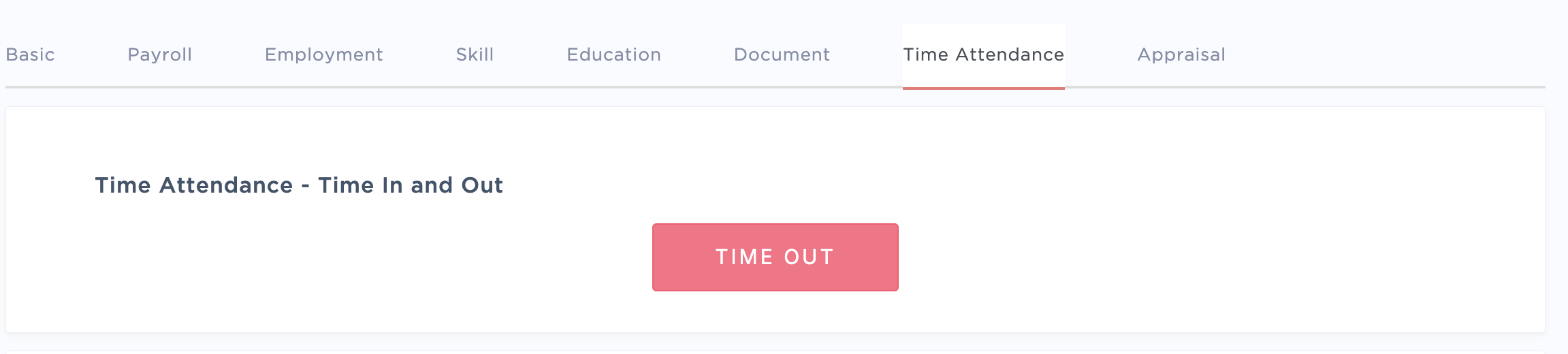
4. To time out, simply click the Time Out button
Was this article helpful?
That’s Great!
Thank you for your feedback
Sorry! We couldn't be helpful
Thank you for your feedback
Feedback sent
We appreciate your effort and will try to fix the article