HReasily Pro is an all-in-one business productivity and employee engagement platform that helps businesses engage, manage, and retain their talent.
It helps companies stay compliance-ready while building stronger relationships with their employees.
New users can get started with a free one-month trial of HReasily Pro to explore the platform and its features.
Follow the steps below to create your HReasily Pro trial account.
Step 1: Register Your Company
To get started, visit the HReasily Pro Sign Up Page here.
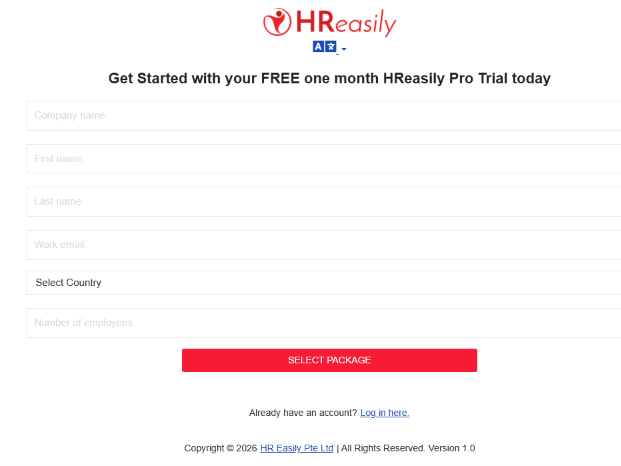
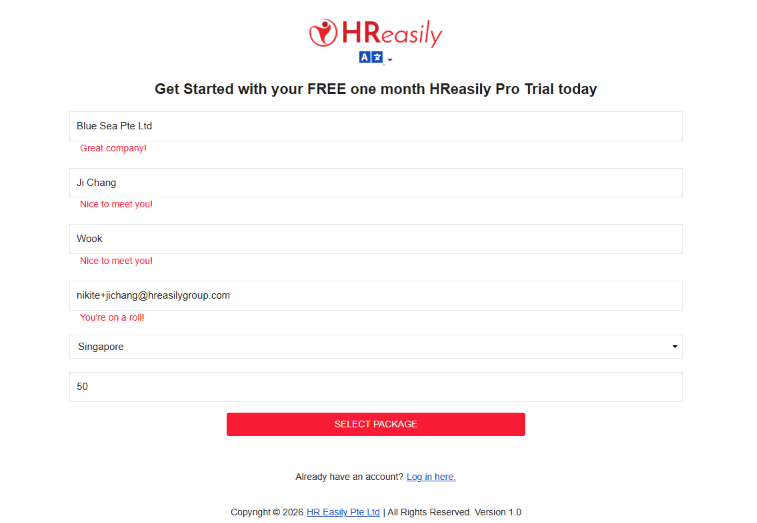
Complete the registration form with the following information:
- Company Name: Enter your company's registered or business name.
- Your Name: Enter your full name.
- Work Email: Provide your business email address.
- Country: Select your company's country.
- Number of Employees: Enter the total number of employees in your company.
Once all the information has been completed, click Select Package to proceed.
Step 2: Select Your Package
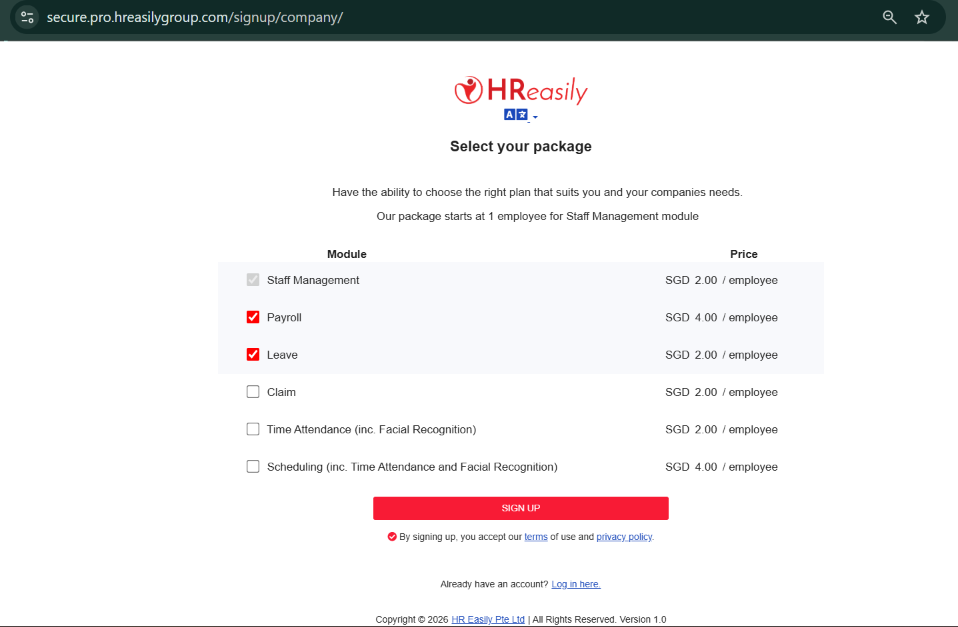
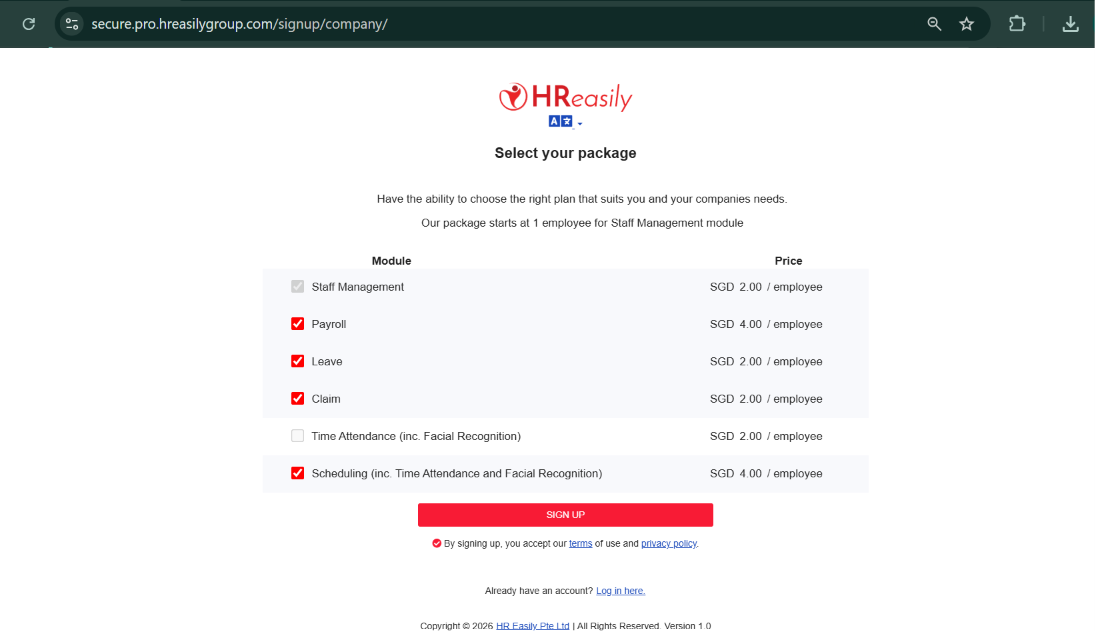
On the package selection page, you can choose the modules that best suit your company's needs.
Staff Management is included as the default module. You can also select additional modules based on your requirements, such as:
- Payroll
- Leave
- Claim
- Time Attendance (including Facial Recognition)
- Scheduling (including Time Attendance and Facial Recognition)
Each module is charged per employee. The pricing is based on the country you selected during Step 1 (Company Registration). The applicable price for each module will be displayed on the package selection page.
Important Notes:
If you select Scheduling, you will not be able to select Time Attendance separately, as the Scheduling module already includes Time Attendance functionality.
Please review your selected modules and the corresponding prices before proceeding.
Once you have selected your preferred modules, click Sign Up to continue.
Step 3: Confirm Your Account
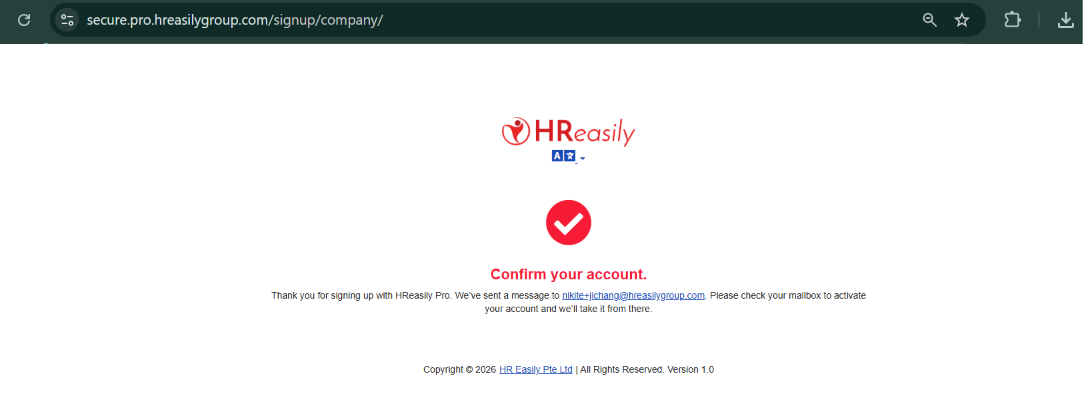
After submitting your registration, you will see a confirmation page.
HReasily Pro will automatically send an account activation email to the work email address you provided during registration.
Please check your inbox for the activation email to continue.
Step 4: Activate Your Account and Set Your Password
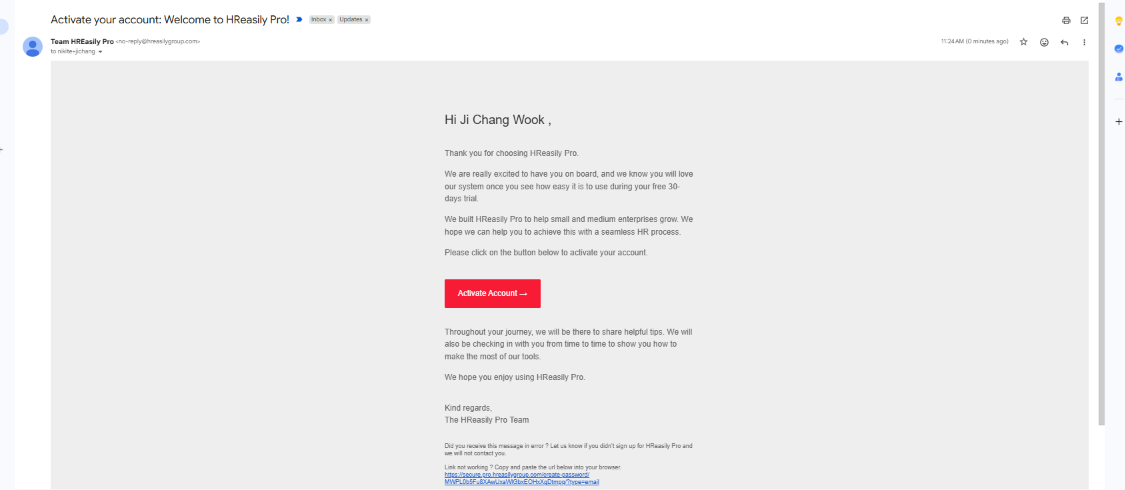
Open the activation email sent by the HReasily Pro team.
Click the Activate Account button in the email to activate your account.
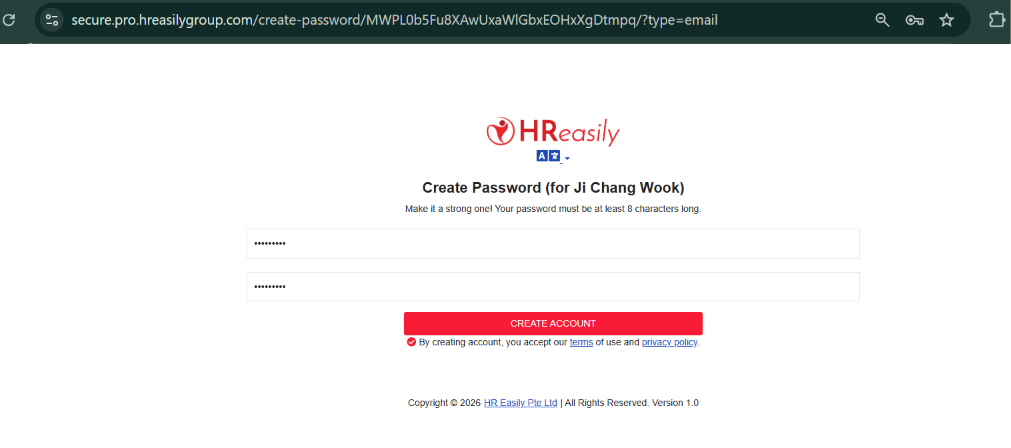
You will then be directed to the account activation page, where you can set your own password.
Once your password has been successfully created, your account will be ready to use.
Step 5: Log In to HReasily Pro
After successfully activating your account and setting your password, visit the HReasily Pro login page.
Enter your registered work email address and newly created password to log in.
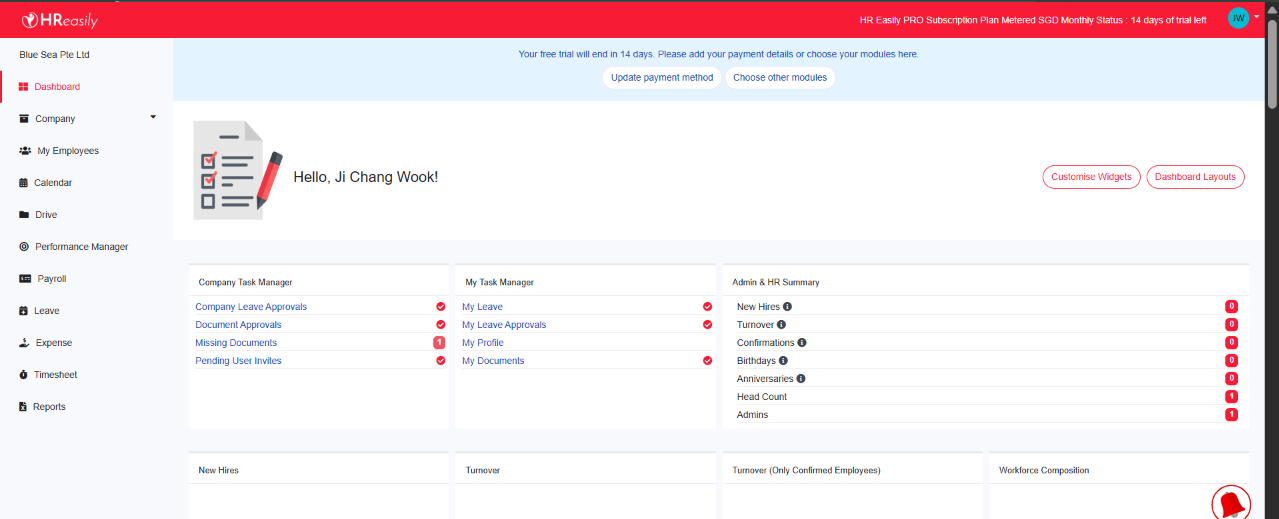
You can now start exploring HReasily Pro and its available features during your free trial.
Step 6: Upgrade Your Account
Enjoying your HReasily Pro experience and ready to continue using the platform?
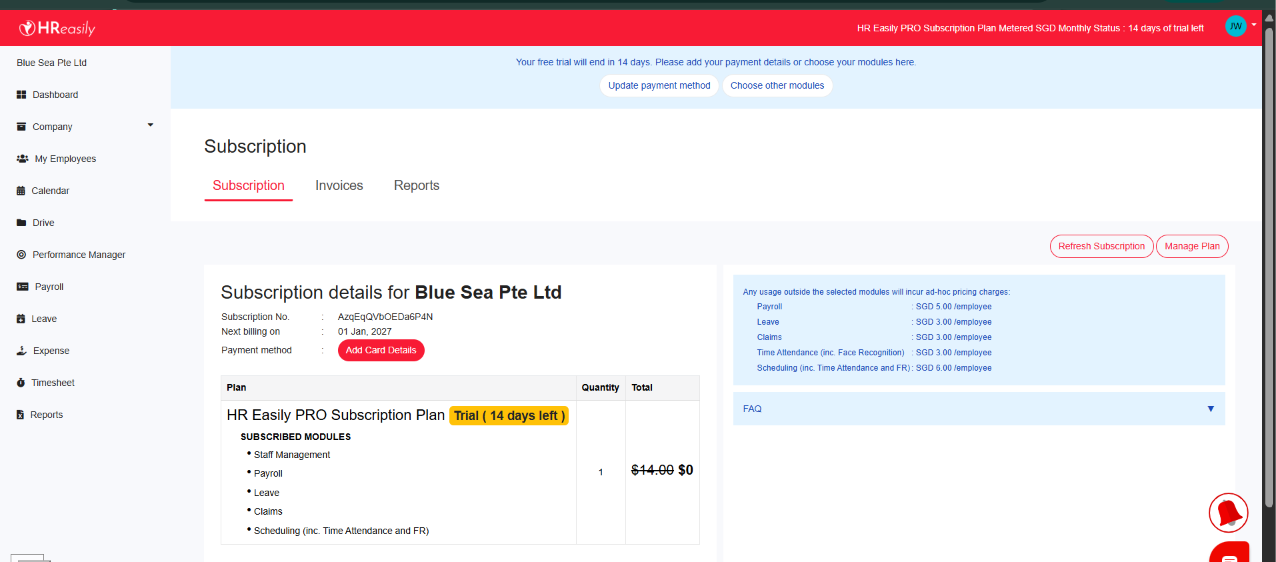
You can seamlessly transition from your free trial to an active subscription by adding your credit card details under the Subscription menu.
Once your payment details have been added, you can proceed with your subscription and continue enjoying HReasily Pro's features.
You're all set!
Congratulations! You've successfully registered and activated your HReasily Pro account.
Start exploring the platform and discover how HReasily Pro can help simplify your HR processes and improve employee management.
Was this article helpful?
That’s Great!
Thank you for your feedback
Sorry! We couldn't be helpful
Thank you for your feedback
Feedback sent
We appreciate your effort and will try to fix the article