HReasily Pro Payslips Instruction
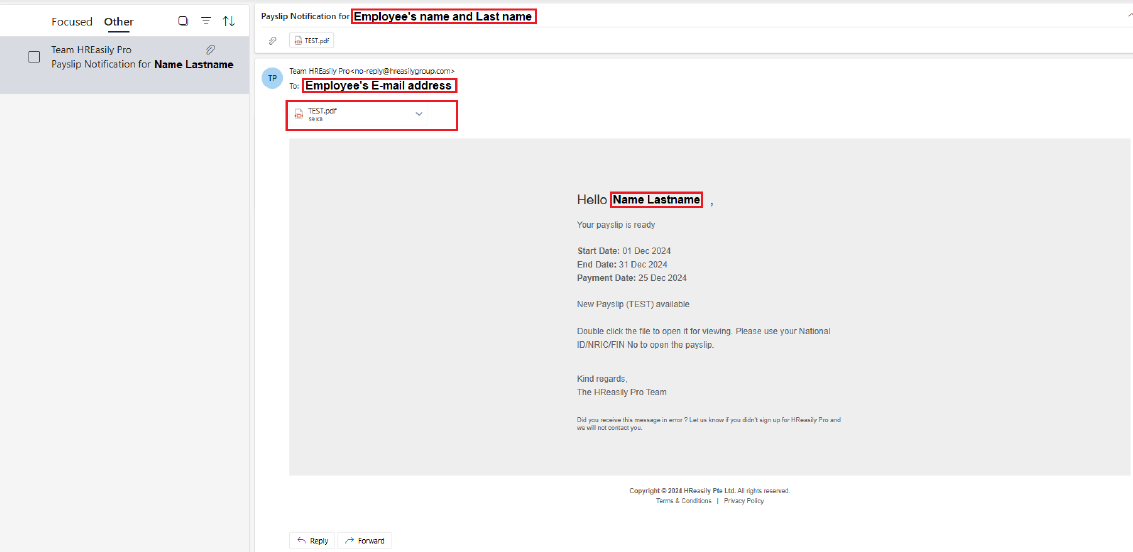
1. Employee will receive an email notification from HREasily Pro (no-reply@hreasilygroup.com) only.
2. In the email, there will be an attached pay slip file. For example, the file name "TEST". When you click on it, you will need to enter a password.
3. Password is TAX ID or Passport Number
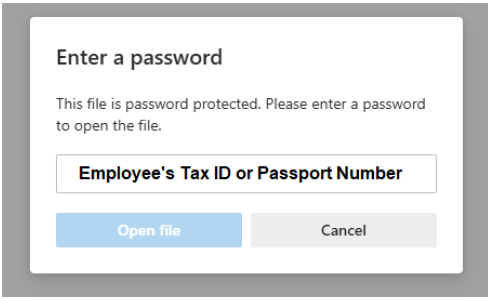
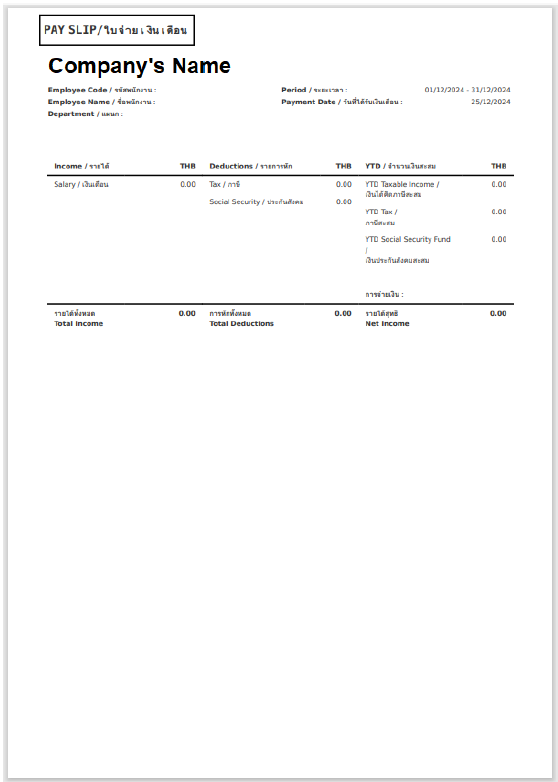
4. After entering the password, click to open the file. If the password is correct, the pay slip page will appear as shown in the sample image page 3.
Was this article helpful?
That’s Great!
Thank you for your feedback
Sorry! We couldn't be helpful
Thank you for your feedback
Feedback sent
We appreciate your effort and will try to fix the article