1. Go to Payroll > Settings > Pay Types.
2. Click Bulk Action Pay Type.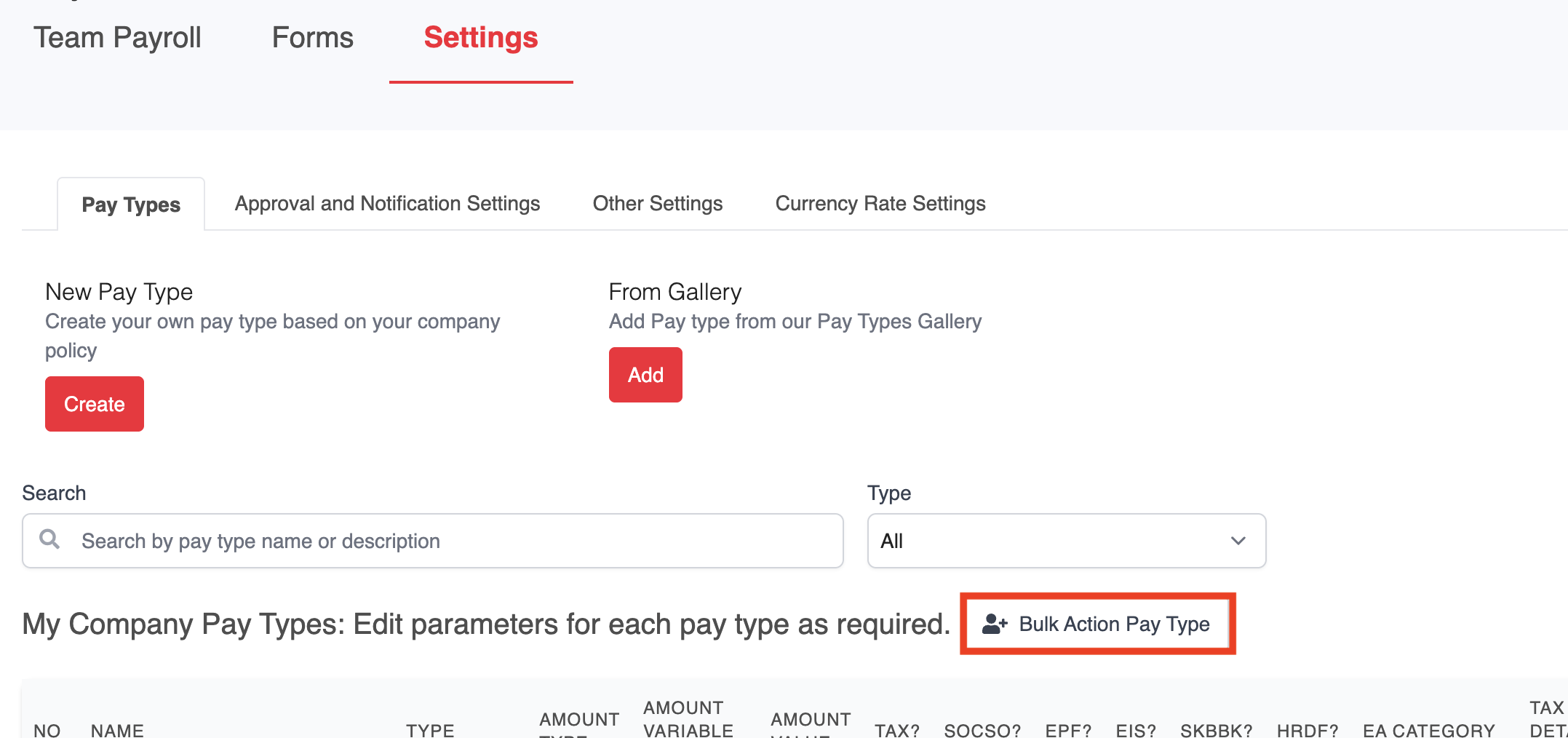
3. Select CP38 from the pay type dropdown.
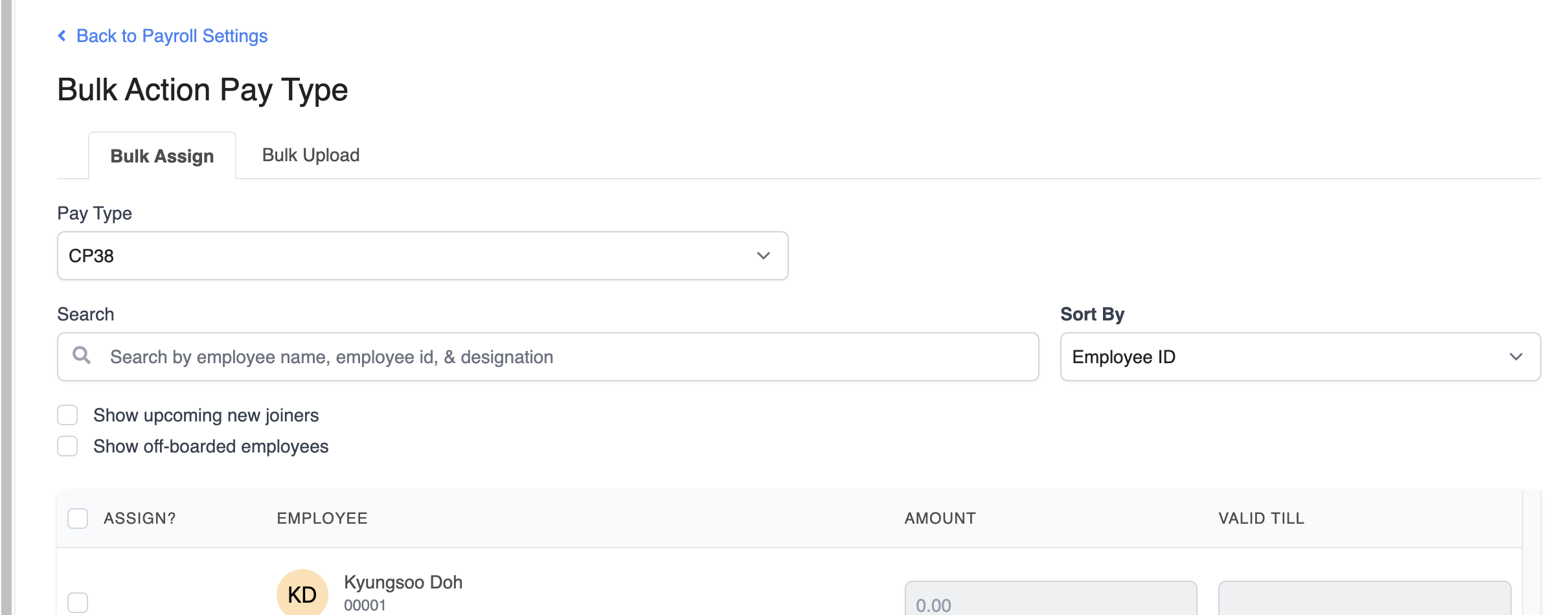
4. Select the employee you want to assign CP38 to, then click Assign.
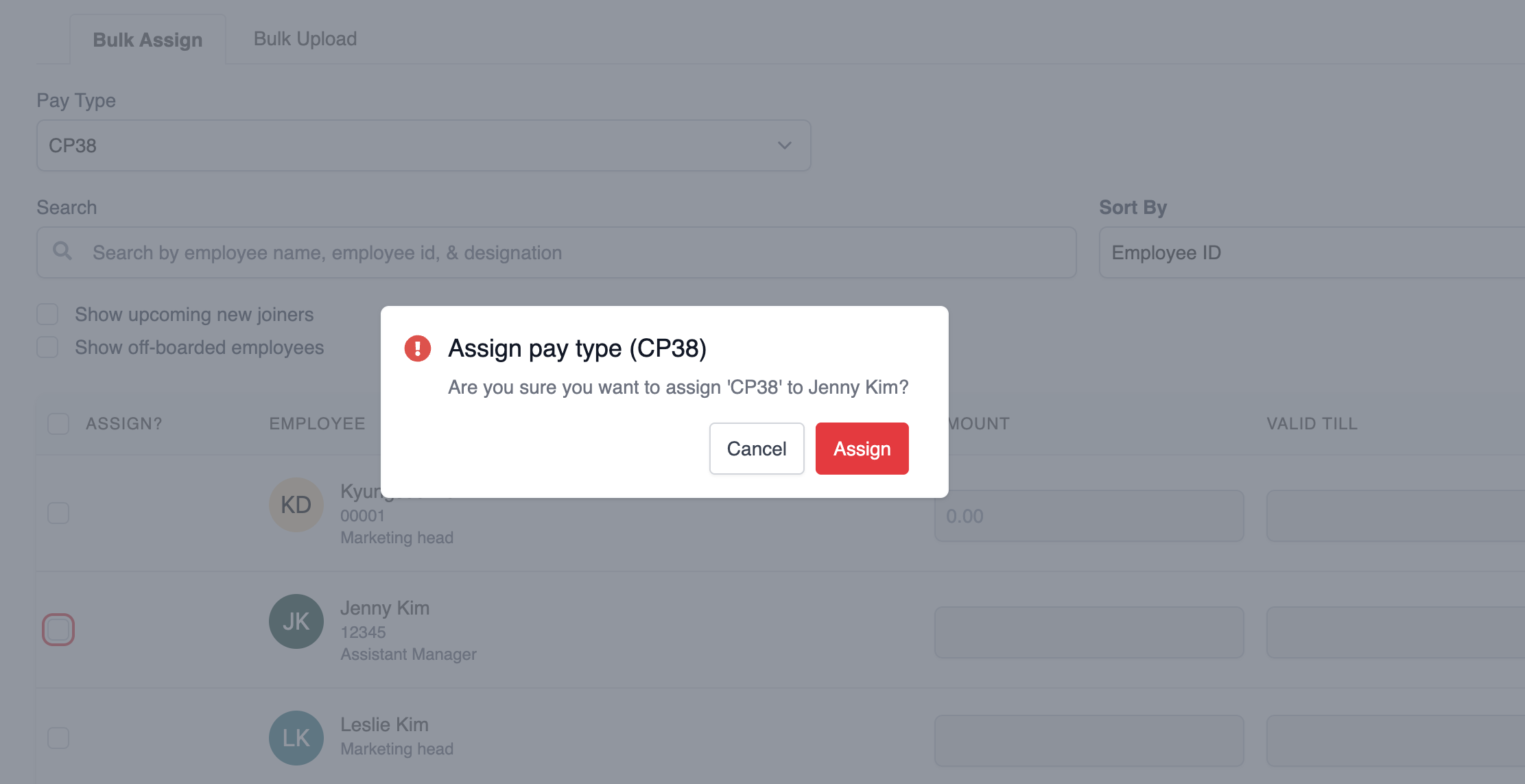
5. Enter the fixed deduction amount and expiry date. The changes will apply automatically. 
Was this article helpful?
That’s Great!
Thank you for your feedback
Sorry! We couldn't be helpful
Thank you for your feedback
Feedback sent
We appreciate your effort and will try to fix the article