Follow the steps below to enable prorated allowance in the system:
1. Navigate to Manage Company > Payroll from the left sidebar.

2. Scroll to the Pay Items List section. Click Create to set up a new pay item, or click Actions > Edit next to an existing pay item to modify it.

3. In the pop-up window, enable the Pro-rate option to activate automatic proration. Complete all required fields and click Save.
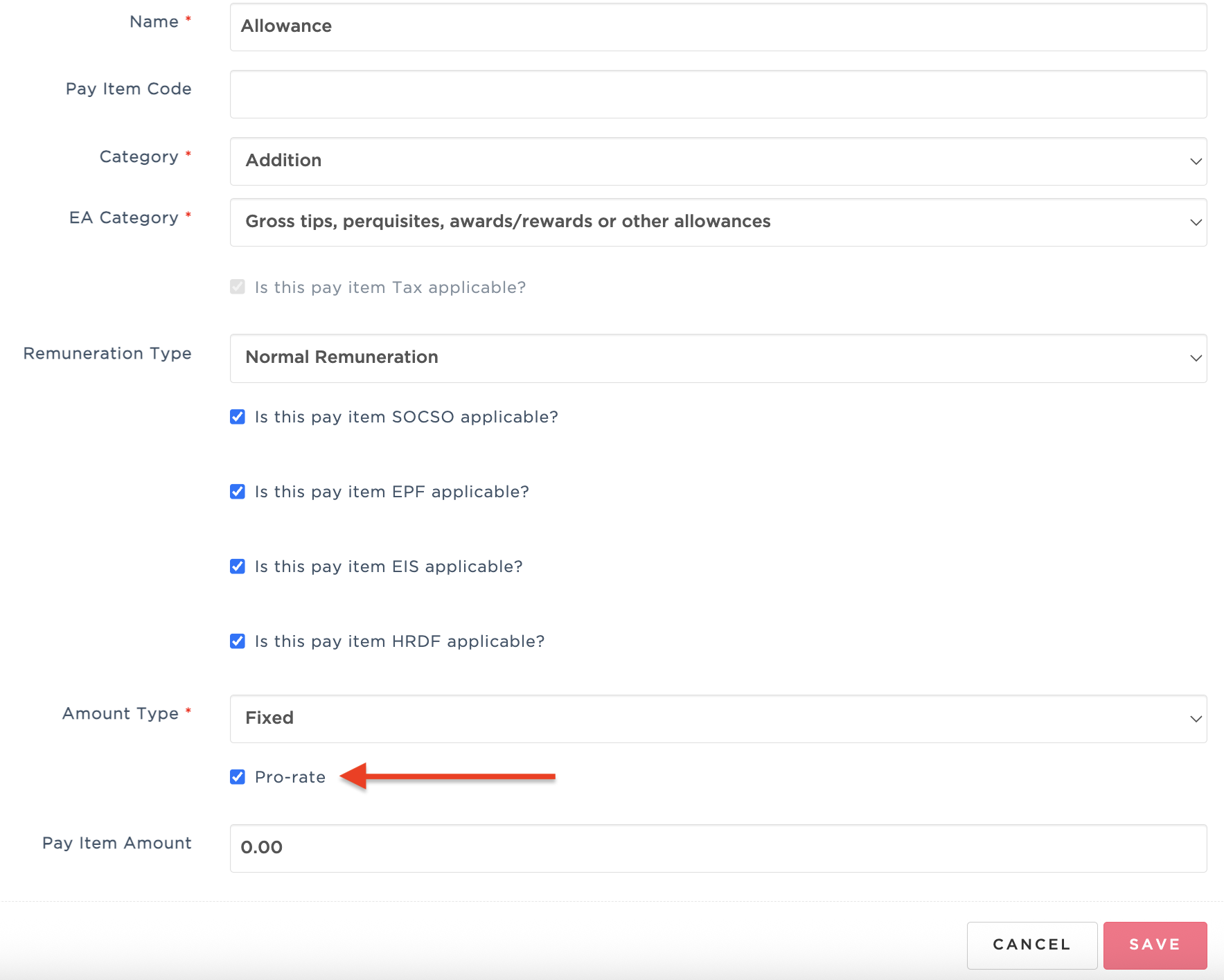
4. To assign the prorated pay item, click Actions > Assign to Multiple Employees.

5. Select the employee(s) you wish to assign the pay item to.

6. Click Save to confirm. The pay item will automatically be prorated based on the employee's join date and/or resignation date.
Important Note: Prorated allowance is only applicable to employees with Monthly Fixed working hours.
Was this article helpful?
That’s Great!
Thank you for your feedback
Sorry! We couldn't be helpful
Thank you for your feedback
Feedback sent
We appreciate your effort and will try to fix the article