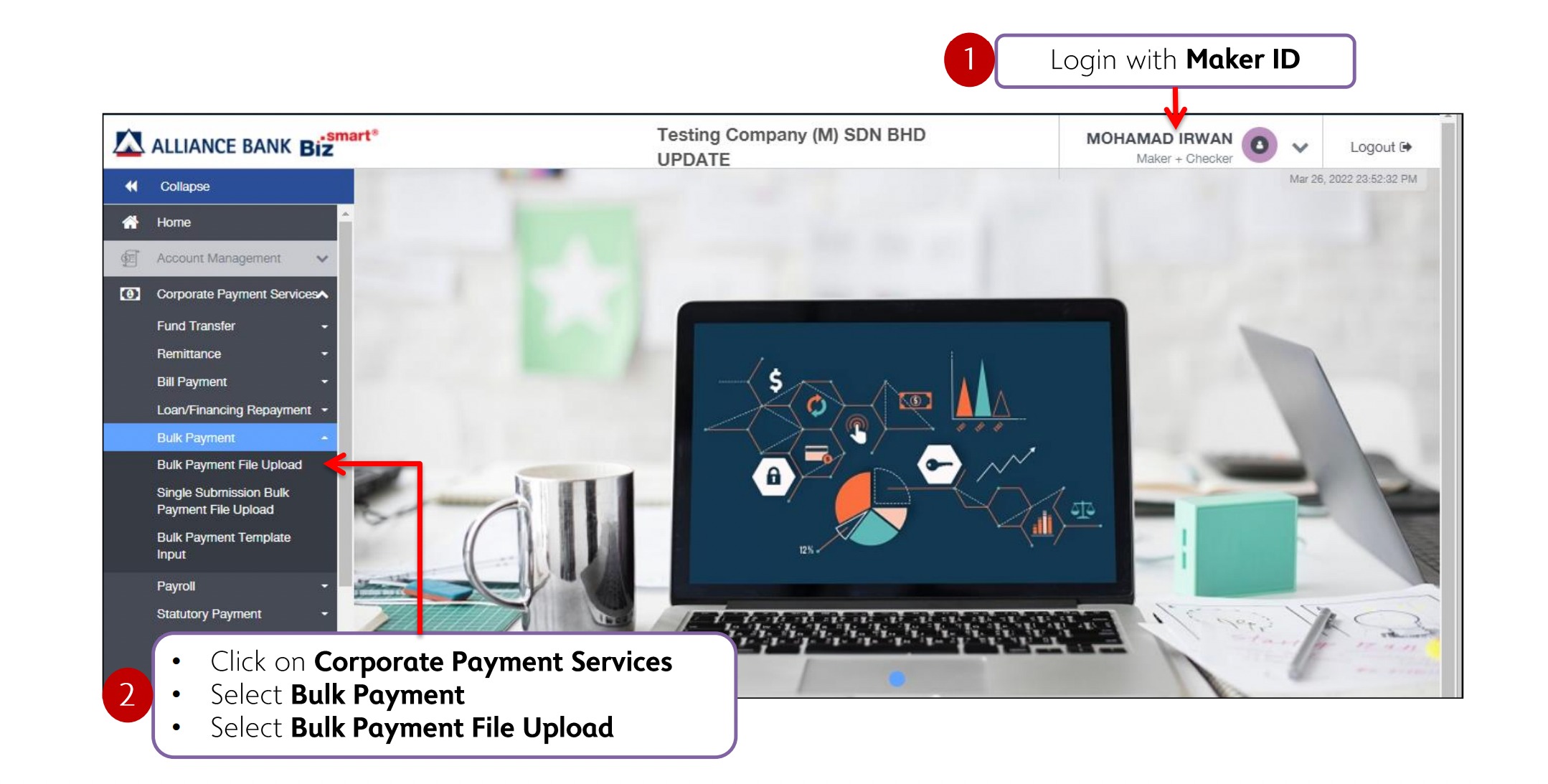
1. Navigate to Corporate Payment Services > Bulk Payment > Bulk Payment File Upload.
2. Enter all the required details. Make sure the file name matches the File Batch Reference Number.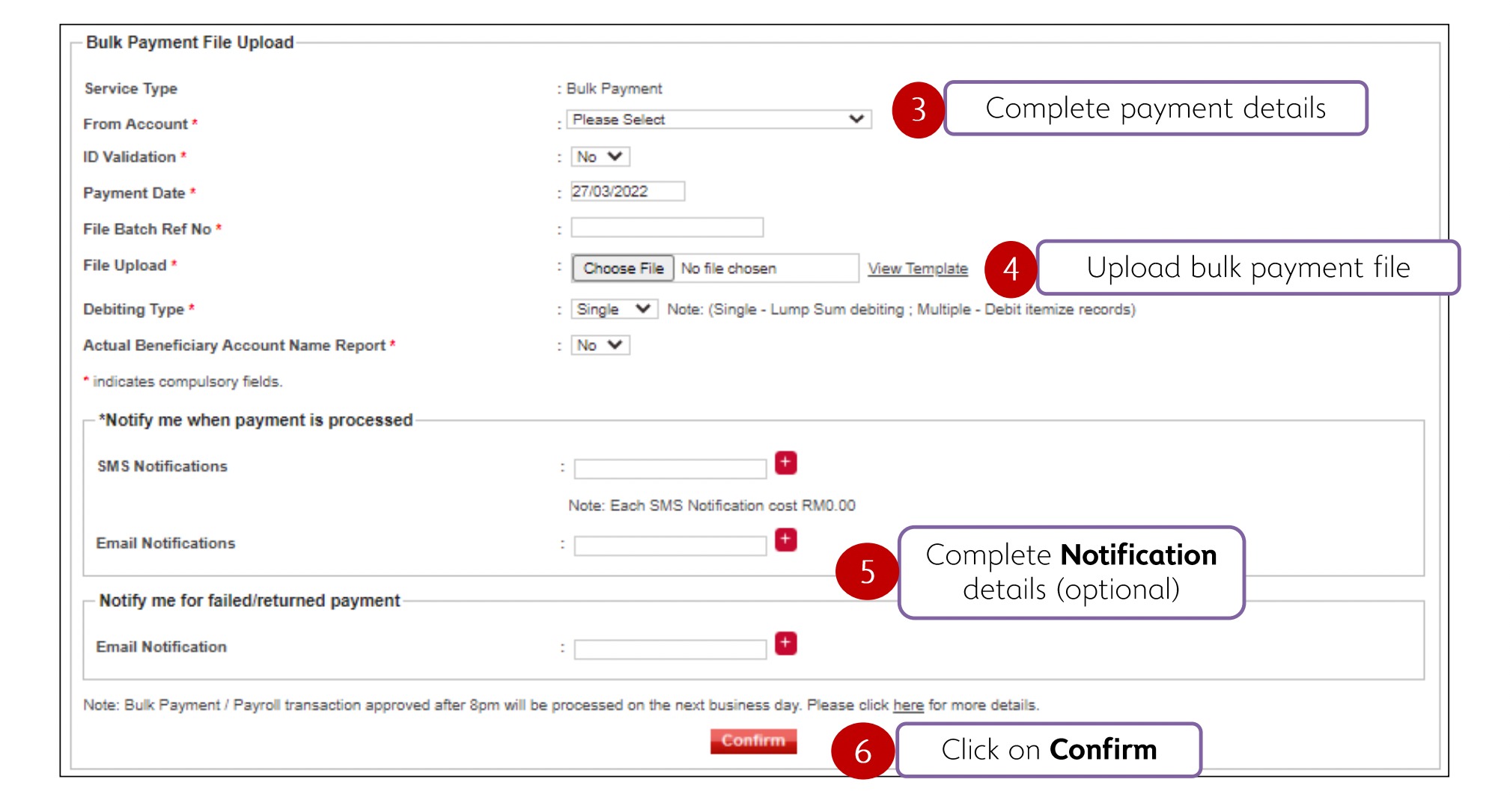
3. When everything is completed, click Confirm to proceed.
For more information on salary and statutory payments, you may refer to the guides below:
Was this article helpful?
That’s Great!
Thank you for your feedback
Sorry! We couldn't be helpful
Thank you for your feedback
Feedback sent
We appreciate your effort and will try to fix the article