Prerequisite
Before downloading the bank file, ensure that Maybank2E has been configured correctly in: Manage Company > Payroll > Company Payroll Info
Important Notes
- Select the bank as Malayan Banking Berhad
- Ensure the following details are entered correctly, as they are mandatory for bank file generation:
- Account Number
- Company ID
The Company ID refers to the company's Corporate ID (M2E).

Before proceeding, ensure that you have exported the salary payment TXT file from HReasily.
If you are unsure how to export the file, please refer to the relevant guide.
Steps to Submit Salary Payments via Maybank2E
1. Access the Maybank2E portal and select Cash Management.

2. Fill in the required login details and proceed to the dashboard.

3. From the menu, click on Cash and choose File Upload.

4. Under the upload page, select Staff Payroll from the Product dropdown list and choose MY PAY PIPE V4 from the File Format dropdown list.
5. Click Browse to select the exported payment file from HReasily, then click Upload File(s) to proceed.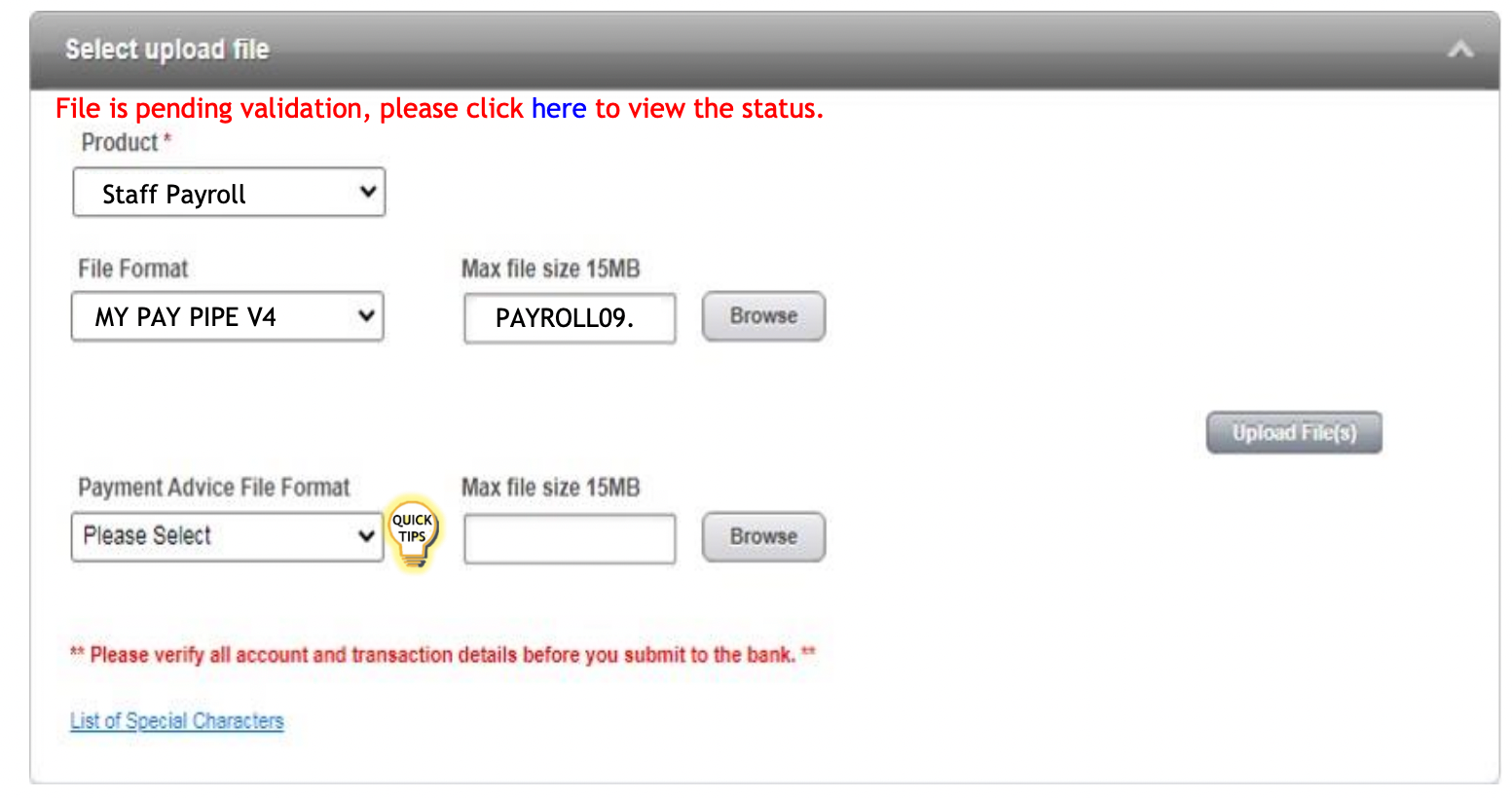
6. Once the record has been successfully submitted, the transaction will be sent to an authorizer for approval. You will receive an acknowledgement message.
7. To view the transaction status, click here on the hyperlink as shown below.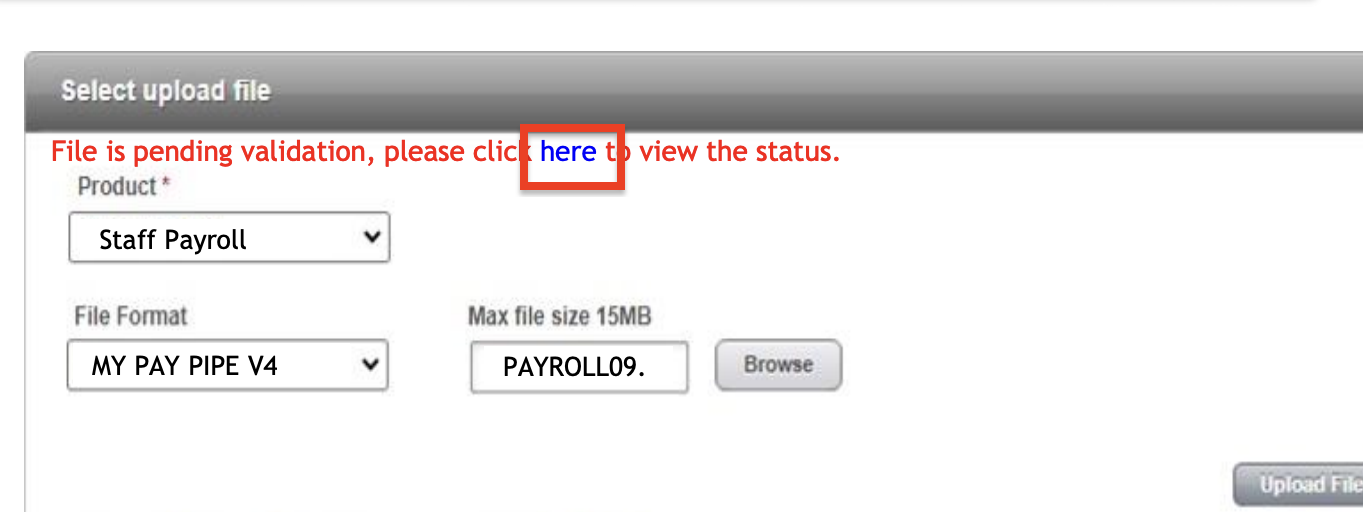
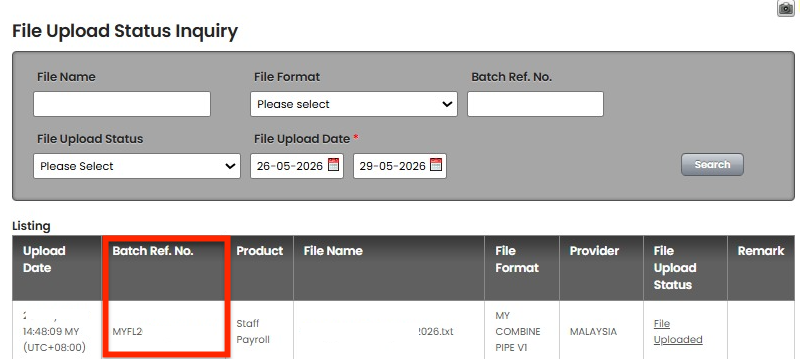
For more details, please refer to the official Maybank2E guide.
Was this article helpful?
That’s Great!
Thank you for your feedback
Sorry! We couldn't be helpful
Thank you for your feedback
Feedback sent
We appreciate your effort and will try to fix the article