The Employee Welfare Fund (EWF) employer details can be configured at the company level before setting up EWF contributions for individual employees. Follow the steps below to enter or update the company's EWF information.
Set Up Employee Welfare Fund Setting
1. Navigate to Manage Company > Payroll
2. Scroll down to Company Payroll Info section and click Edit
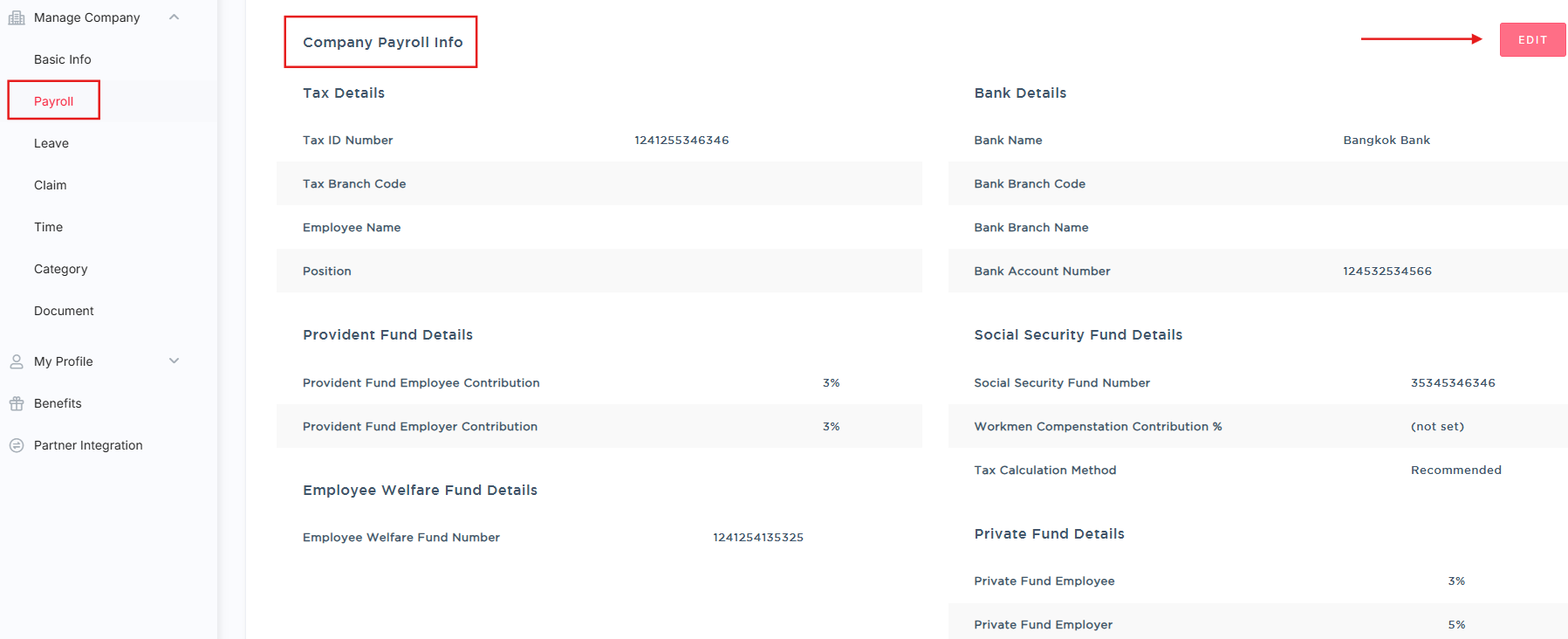
2. Scroll down to Employee Welfare Fund Details section
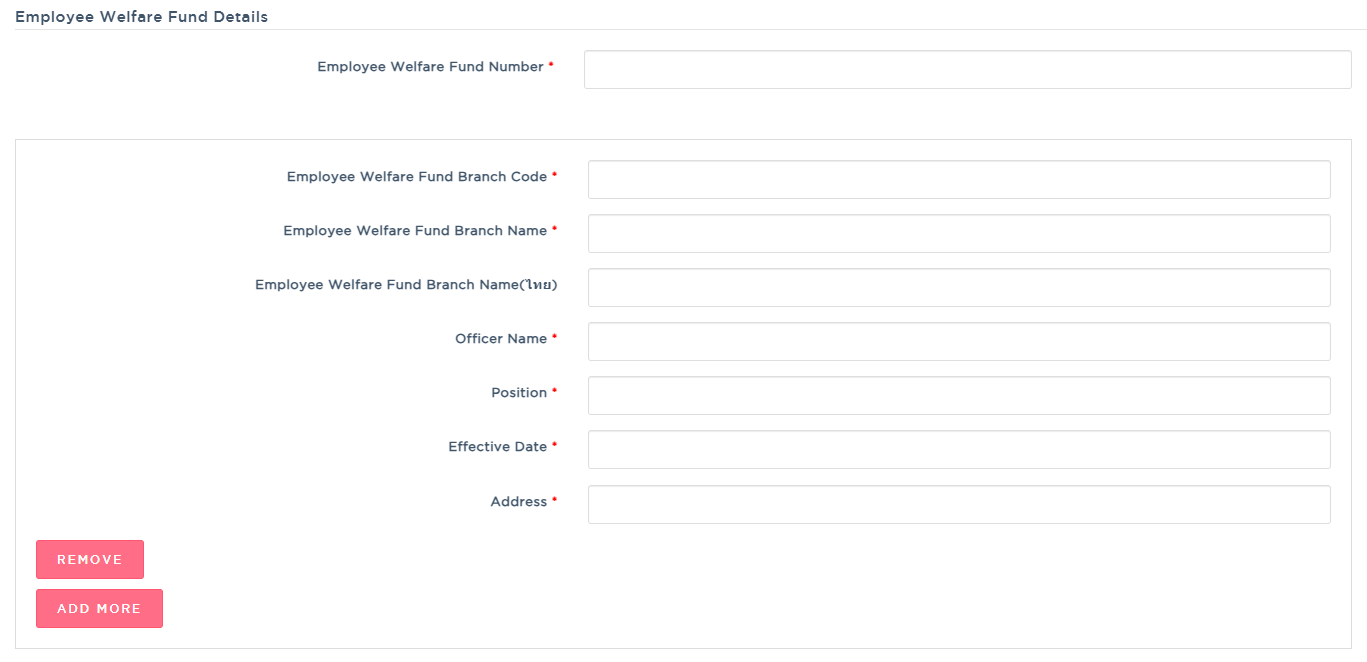
3. Complete the Employee Welfare Fund Information for the employer:
Employee Welfare Fund Number: Enter the Employee Welfare Fund number registered for the employer or company.
Employee Welfare Fund Branch Code: Enter the branch code registered for the employer or company.
Employee Welfare Fund Branch Name: Enter the registered branch name.
Employee Welfare Fund Branch Name (ไทย): Enter the registered branch name in Thai.
Officer Name: Enter the name of the authorized officer responsible for the EWF report.
Position: Enter the position of the authorized officer.
Effective Date: Enter the date from which the company is subject to EWF contributions.
Address: Enter the company's registered address.
Note: Click Add more if you have multiple Employee Welfare Fund Branch.
4. Review the information and click Save at the bottom of the page to apply the changes.
Tip: Make sure the company's EWF information matches the details registered with the relevant authorities before saving.
Was this article helpful?
That’s Great!
Thank you for your feedback
Sorry! We couldn't be helpful
Thank you for your feedback
Feedback sent
We appreciate your effort and will try to fix the article