You can generate a GIRO bank file for only the employees you want to include.
Steps
1. Click Download Bank File.

2. Complete all required bank details marked with an asterisk (*).
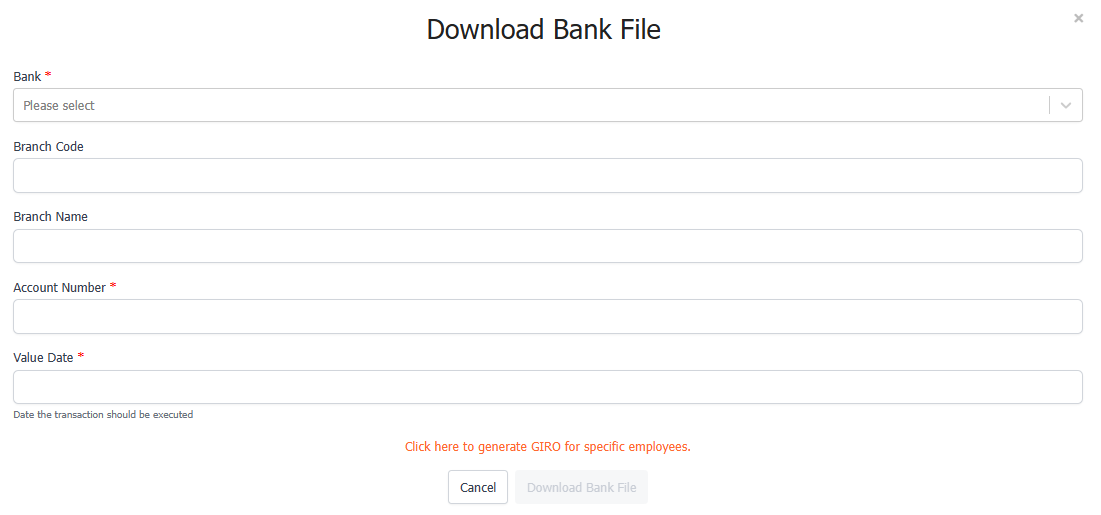
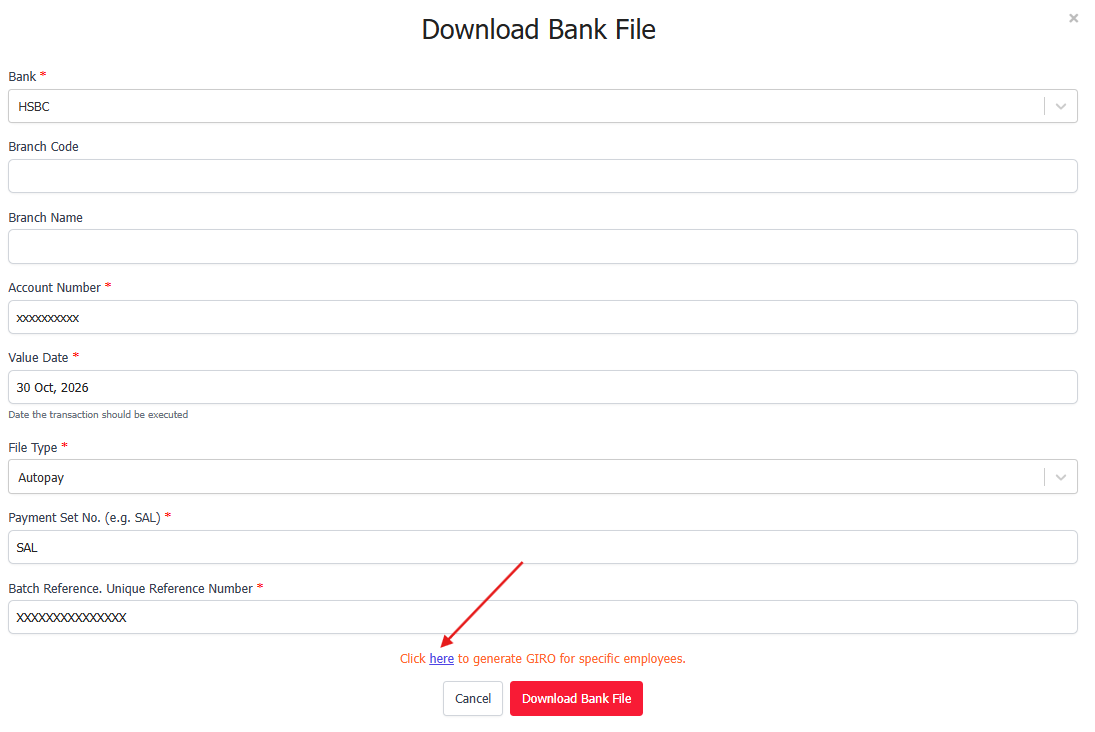
3. At the bottom of the page, you will see the message: “Click here to generate GIRO for specific employees.”
4. After completing all required fields, the “here” text in the message will turn blue.
5. Click the blue “here” link.
6. A pop-up window will appear showing the list of employees.
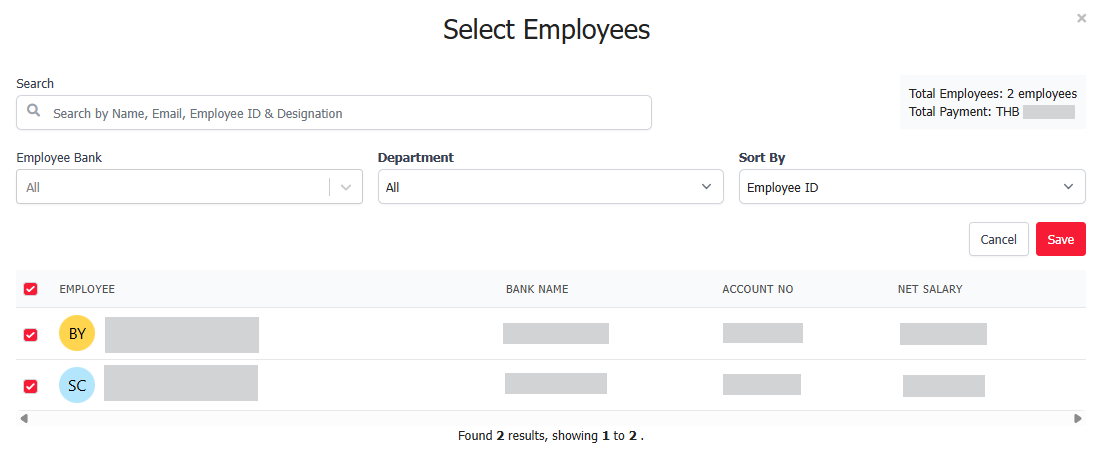
7. Untick the employees that you do not want to include in the GIRO bank file.
8. Click Save.
9. Click Download Bank File again.
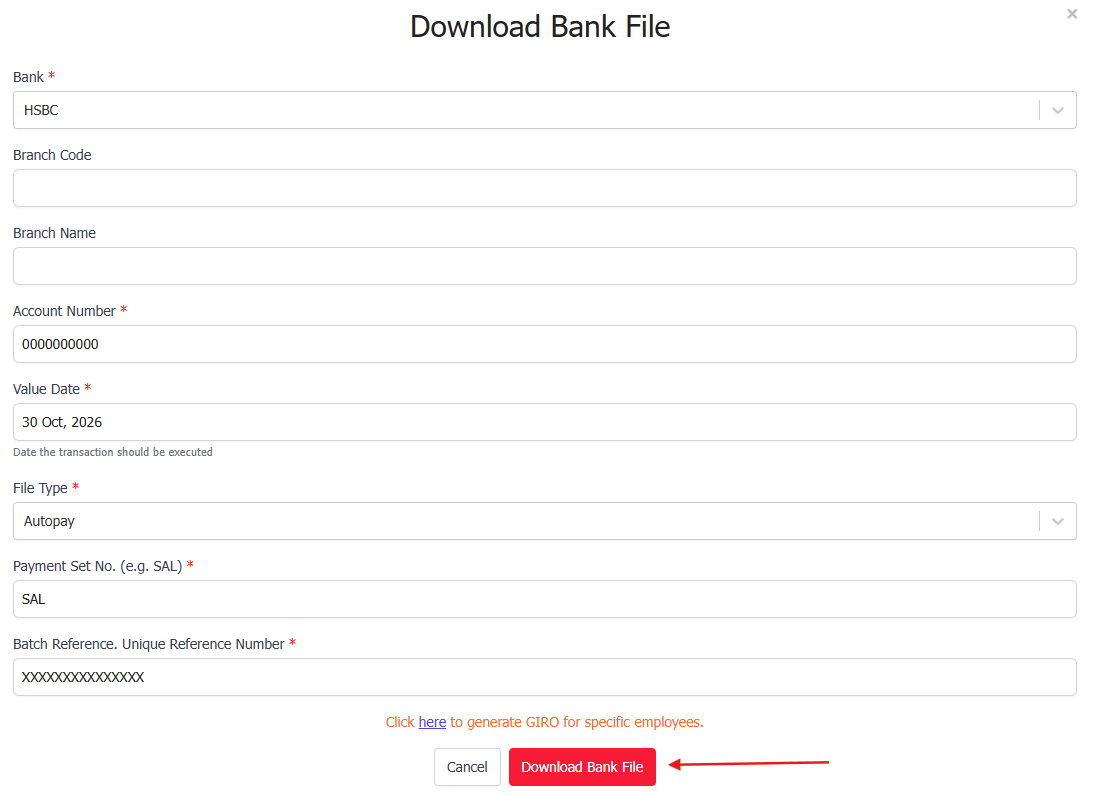
The GIRO bank file will be generated with only the employees you selected.
Was this article helpful?
That’s Great!
Thank you for your feedback
Sorry! We couldn't be helpful
Thank you for your feedback
Feedback sent
We appreciate your effort and will try to fix the article