When managing payroll, specific pay items (such as allowances or basic salary) must be configured to dictate whether they attract SKBBK contributions. Updating these settings ensures that the system calculates statutory deductions accurately during your monthly payroll processing.
Follow these simple steps to update your pay item settings:
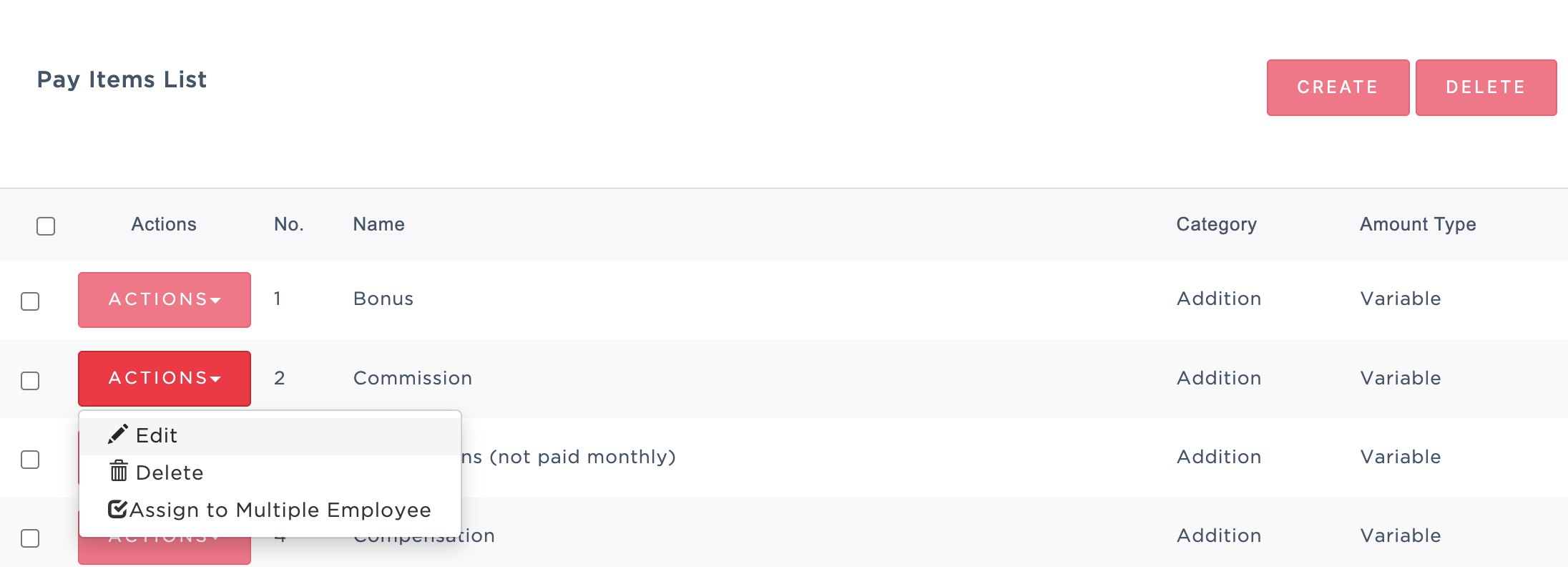
1. Go to Manage Company > Payroll > Pay Item List.
2. Find the specific pay item you want to update, click the Actions button next to it, and select Edit.
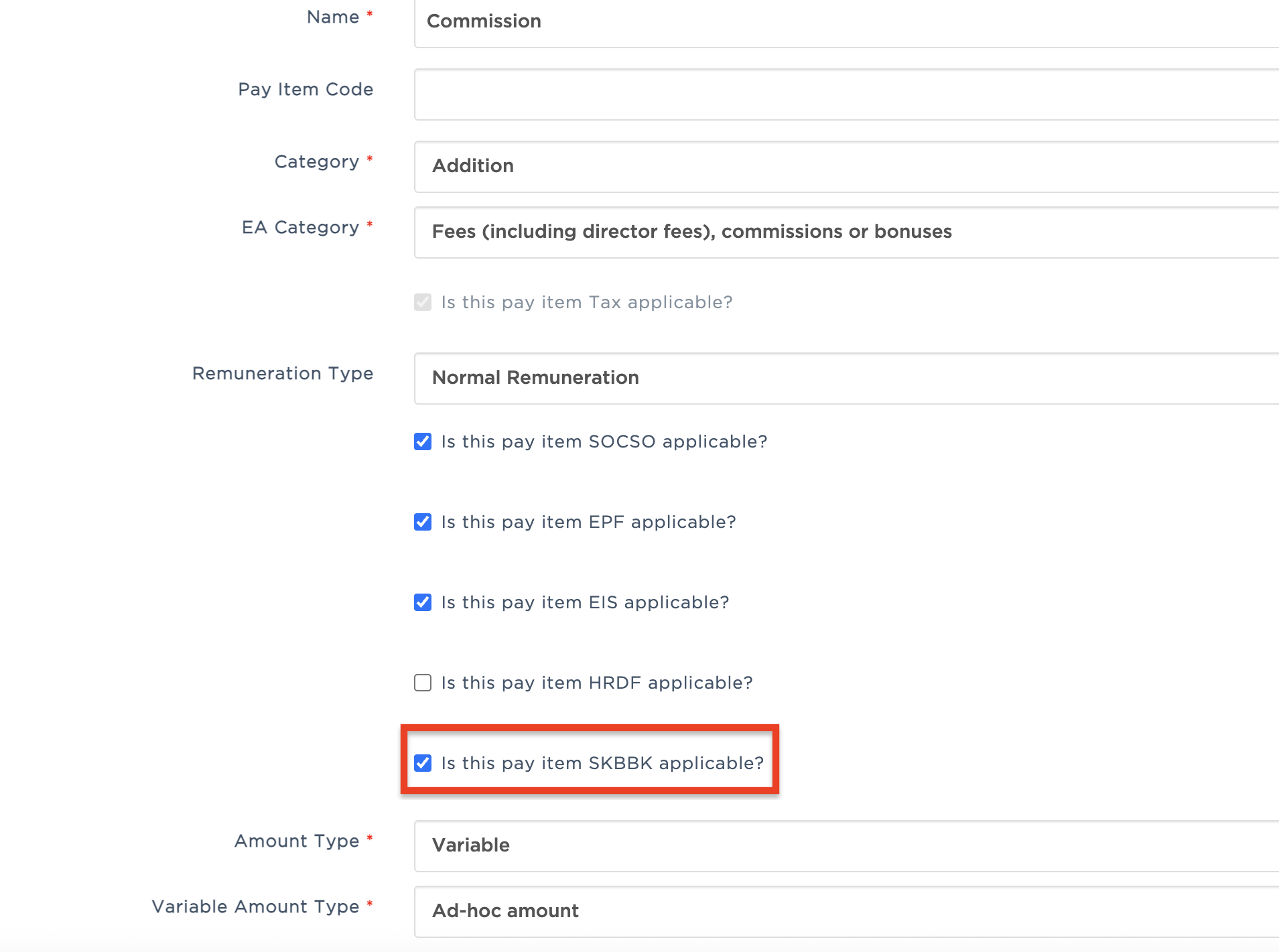
3. Inside the pay item configuration page, locate and check the box for: Is this pay item SKBBK applicable?
4. Once selected, click Save at the bottom of the page to apply the updates.
Was this article helpful?
That’s Great!
Thank you for your feedback
Sorry! We couldn't be helpful
Thank you for your feedback
Feedback sent
We appreciate your effort and will try to fix the article