When managing payroll, specific pay items (such as allowances or basic salary) can be configured to determine whether they are subject to Employee Welfare Fund (EWF) contributions. Updating these settings helps ensure that EWF contributions are calculated correctly during payroll processing.
Follow the steps below to update the EWF settings for a pay item.
Apply EWF Contributions to a Pay Item
1. Go to Manage Company > Payroll Info
2. Scroll down to Pay Items List
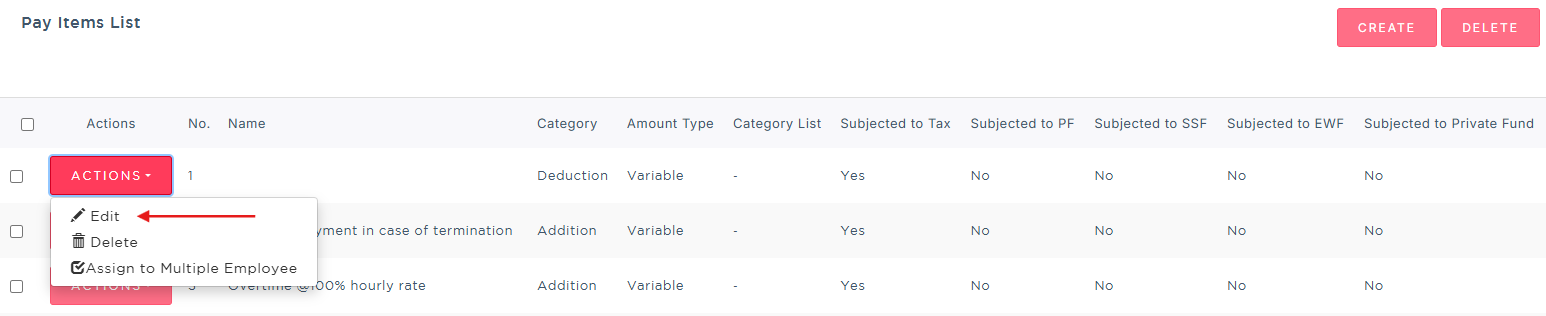
3. Find the specific pay item you want to update, and click the Actions button and click Edit.
4. Inside the pay item configuration page, locate and check the box for: Subject to Employee Welfare Fund
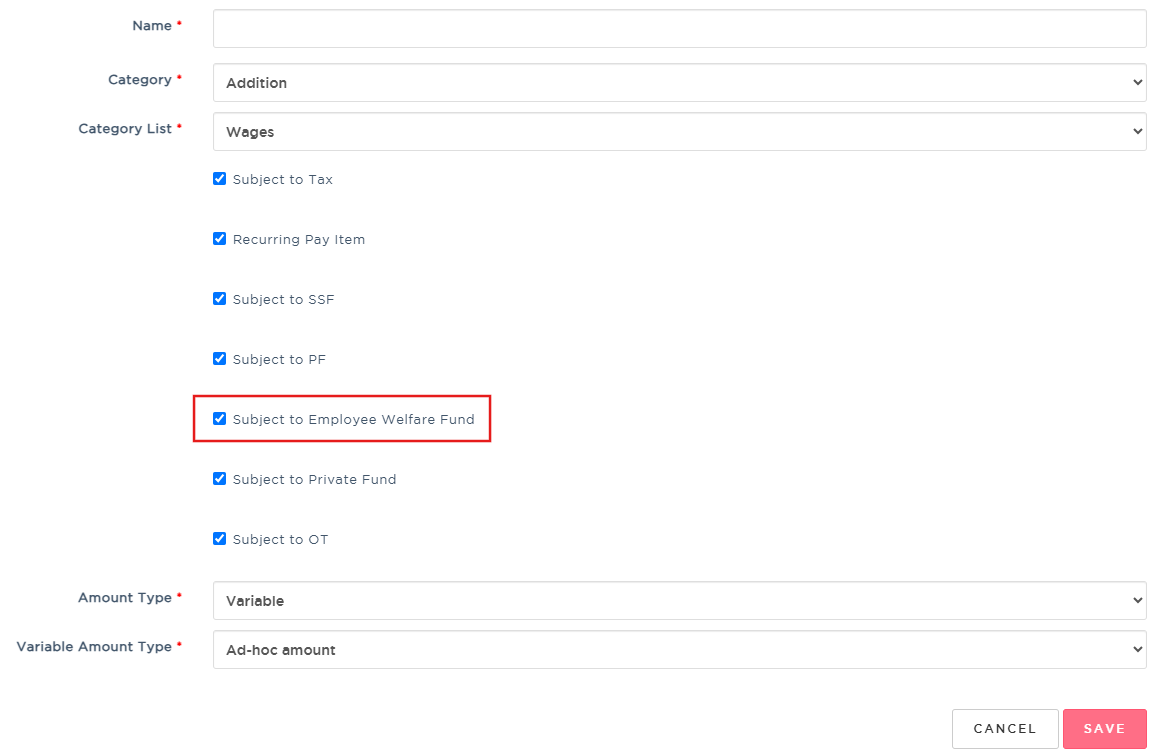
5. Once selected, click Save at the bottom of the page to apply the updates.
Was this article helpful?
That’s Great!
Thank you for your feedback
Sorry! We couldn't be helpful
Thank you for your feedback
Feedback sent
We appreciate your effort and will try to fix the article